Robot Monitoring

LitterWatcher

Fast status visibility for litter robot care. Fully benchmarked on LR4, with provisional support for LR3 and LR5.
Why I made this app

I wanted a way to stop missing important litter robot issues. The official app often pops up with a notification while I am at work or running errands, but by the time I get home the notification is long gone and I've forgotten. Instead, LitterWatcher keeps the robot error state visible so I don't forget to add litter or empty the bin.

LitterWatcher also shows me all the current supply levels with just a quick glance, so I'm not surprised when those tasks come up. There's even a built-in predictor that estimates when each service will be needed. The Litter Robot is pretty awesome, this app makes it even more so.

How it keeps you informed

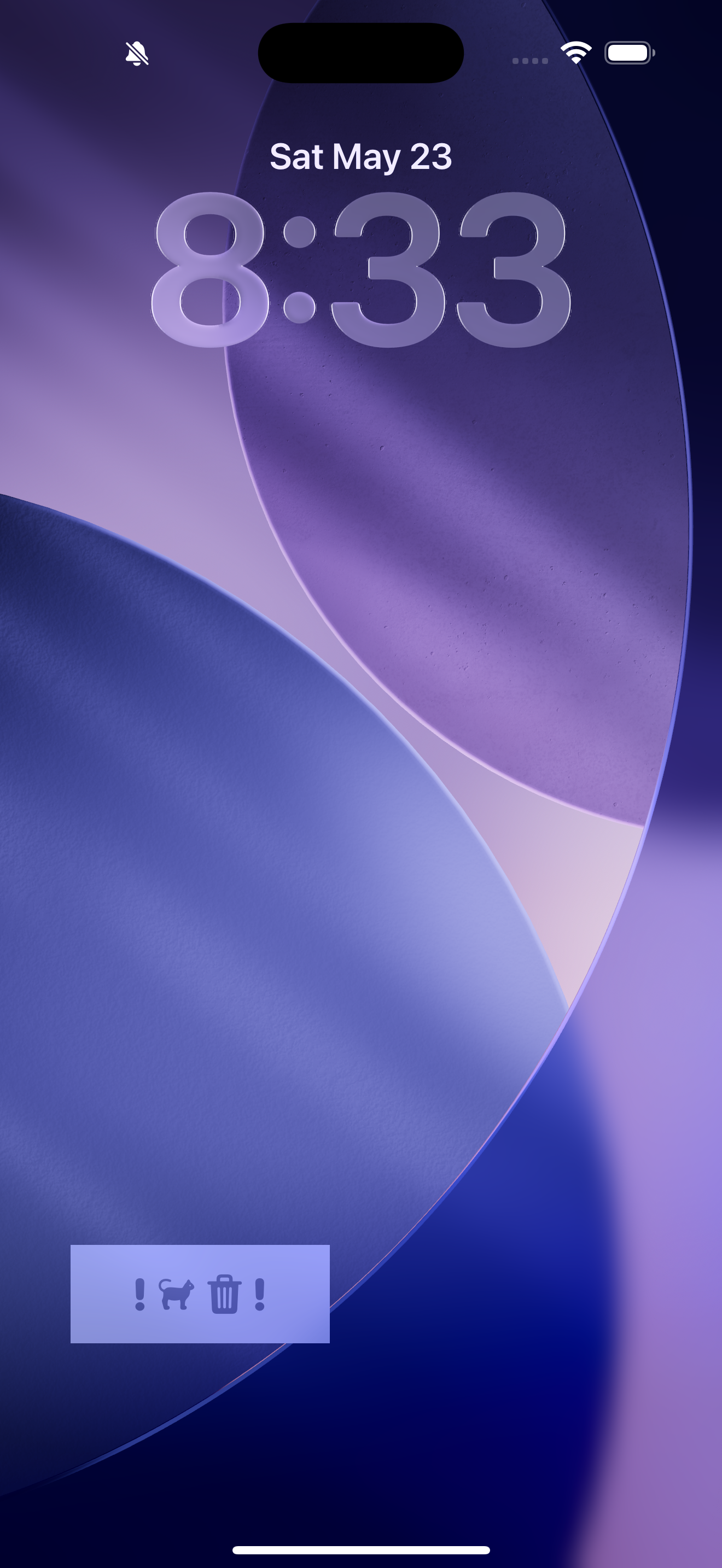
Live alert badge on lock screen

See active issues instantly without opening the app. If something important happens, the alert stays visible where you will actually notice it.

Home-screen and lock-screen widgets

Use simple or detailed display modes, and choose which robot each widget tracks. You can monitor one robot or several in parallel.

Snooze for real life timing

Snooze lets you leave it for later when you are busy. You can snooze for a duration or snooze until the time you expect to be home and free.

Flexible monitoring setup

Enable whichever channels you want: app alerts, widgets, live activity, or all of them together. You can also choose exactly which conditions to follow.
Screenshots

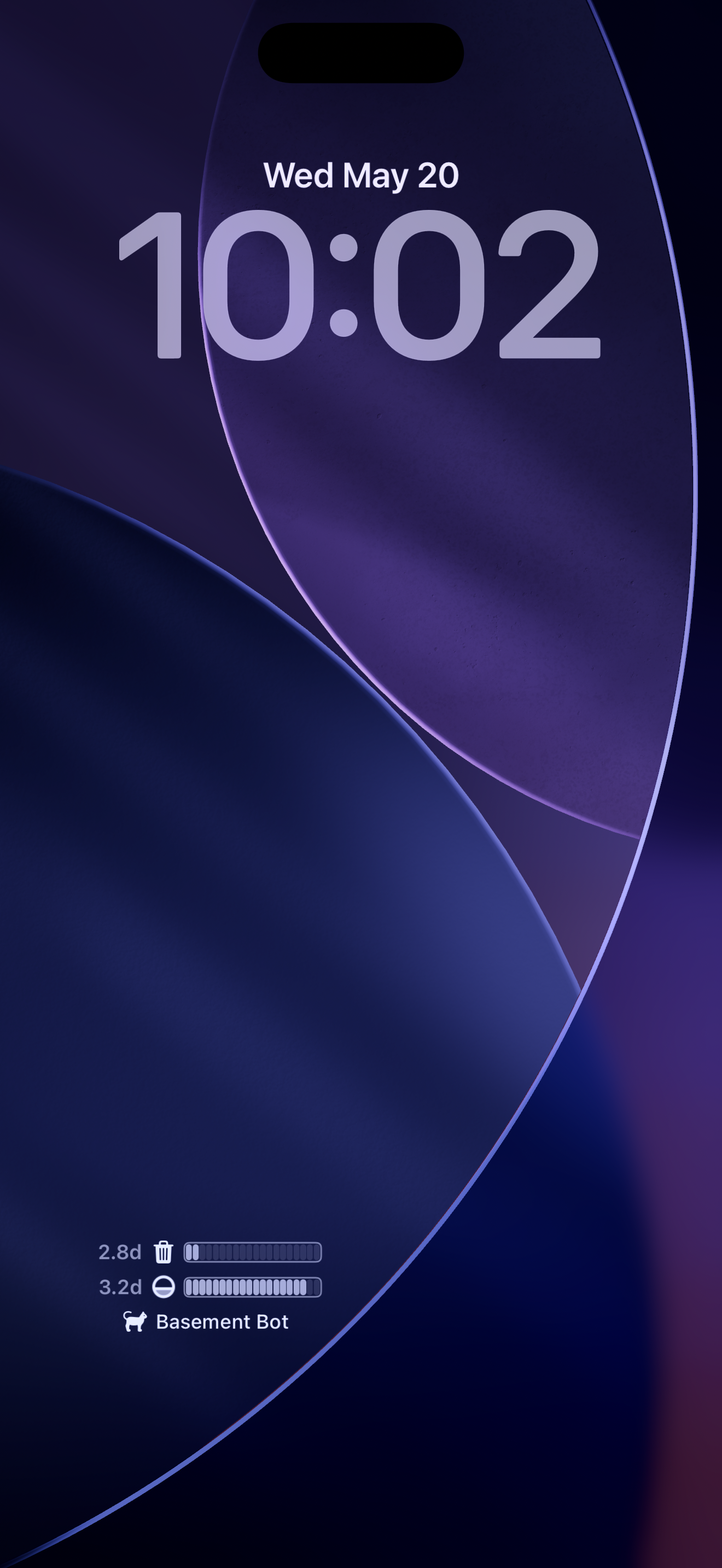
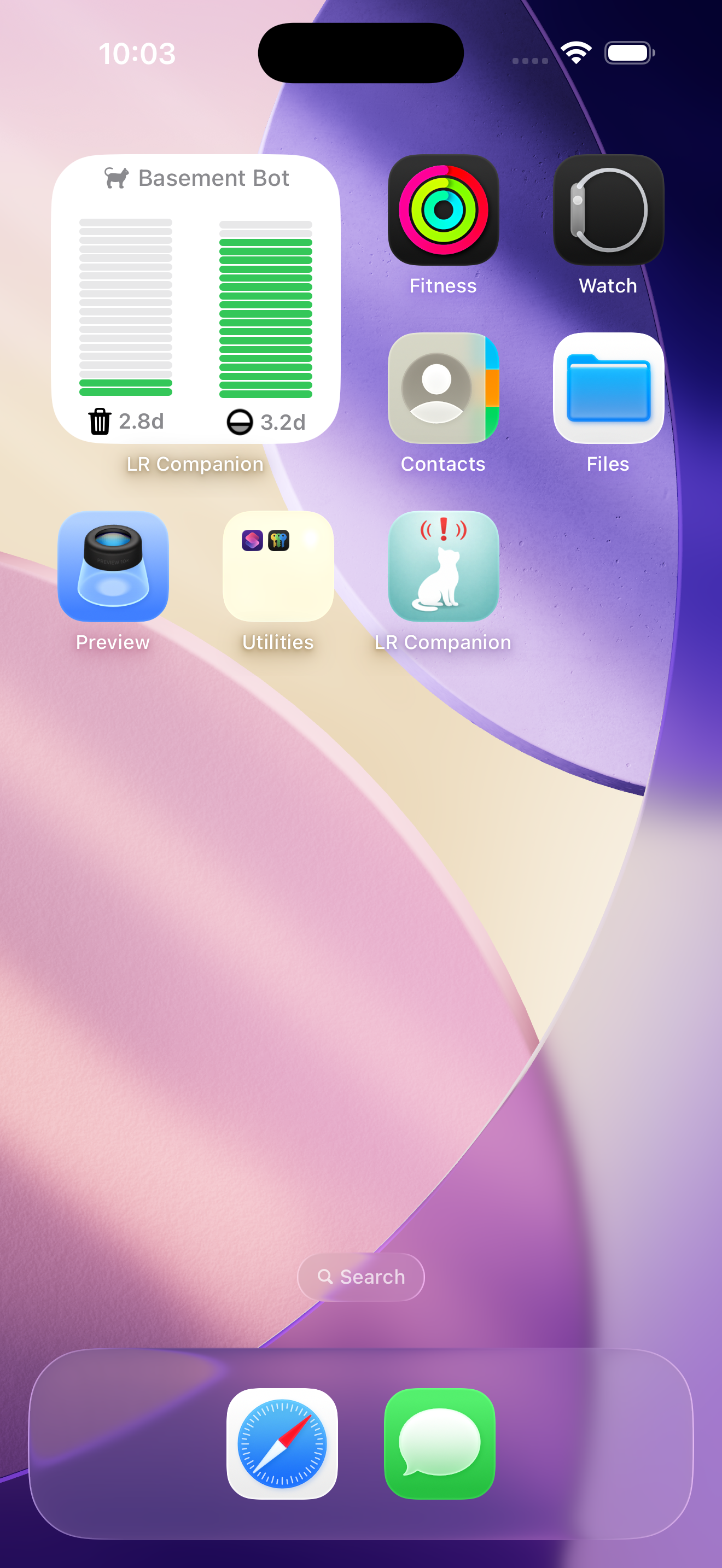
Home Screen Widget

Compact at-a-glance status for one selected robot. Shows current levels and a prediction of how many days until you have to go and add or remove litter.

Home Screen widget shows your levels and a prediction for how long until you need to add or remove litter.  All at a glance

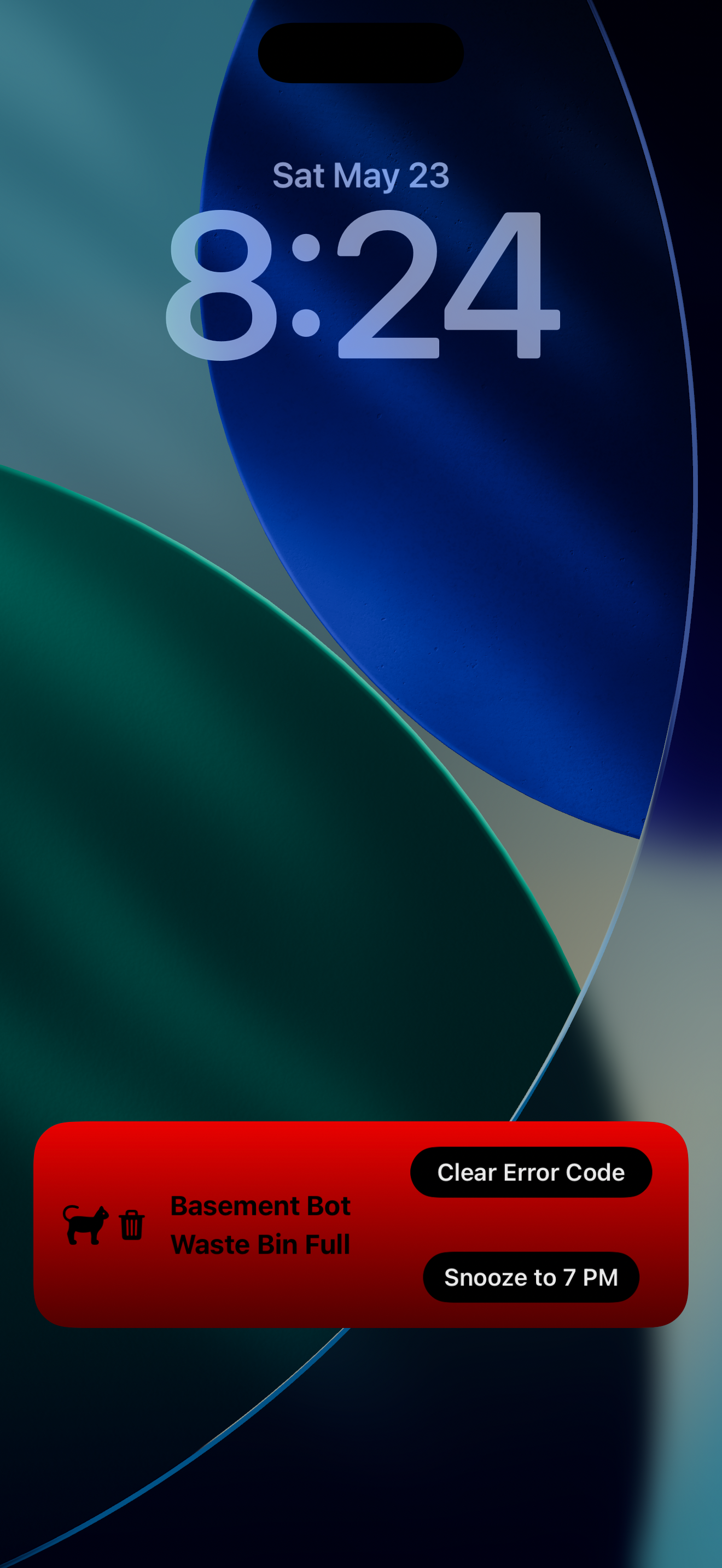
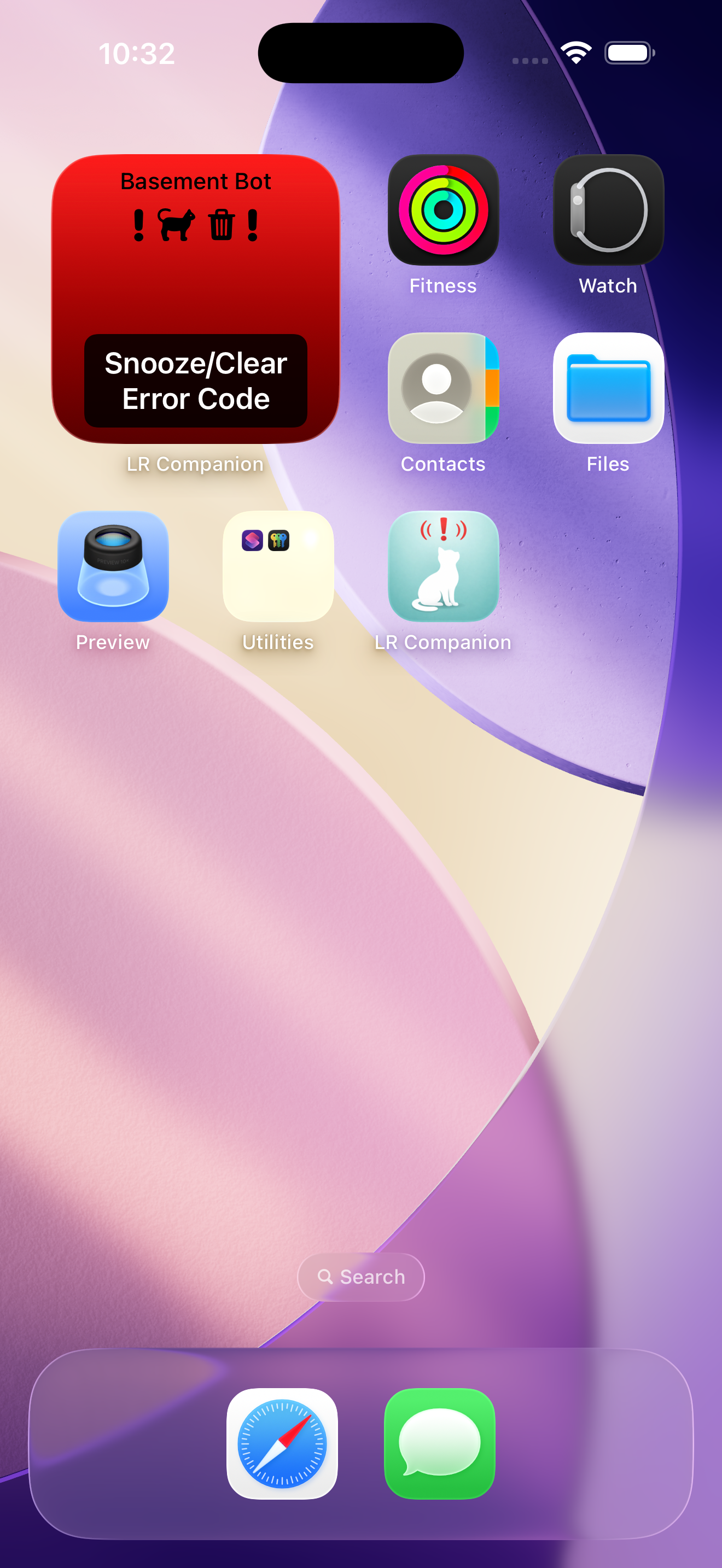
Home Screen Widget - Alarm Mode

The Home Screen widget changes to a snoozable Alarm Mode when you need to go attend to your robot. Click it to snooze for a few hours or until you get home from work.

The Home Screen widget changes to Alarm Mode when you need to go attend to your robot. Click it to snooze for a few hours or until you get home from work.

Lock Screen Widget

Lock Screen widget also shows levels and predicted time until you next need to go check on your robot. Add one widget for each of your robots.

Lock Screen widget also shows levels and predicted time until you next need to go check on your robot.

Lock Screen Widget- Alarm Mode.

A persistent (but snoozable) alert where you're most likely to see it. No more disappearing Notifications that you forget about by the time you get home from work.

Lock Screen shows a persistent (but snoozable) alarm mode where you're most likely to see it. No more disappearing Notifications that you forget about by the time you get home from work.

Live Activity - Alert Badge

Persistent lock-screen alert card for active conditions.

Live activity lock screen badge screenshot

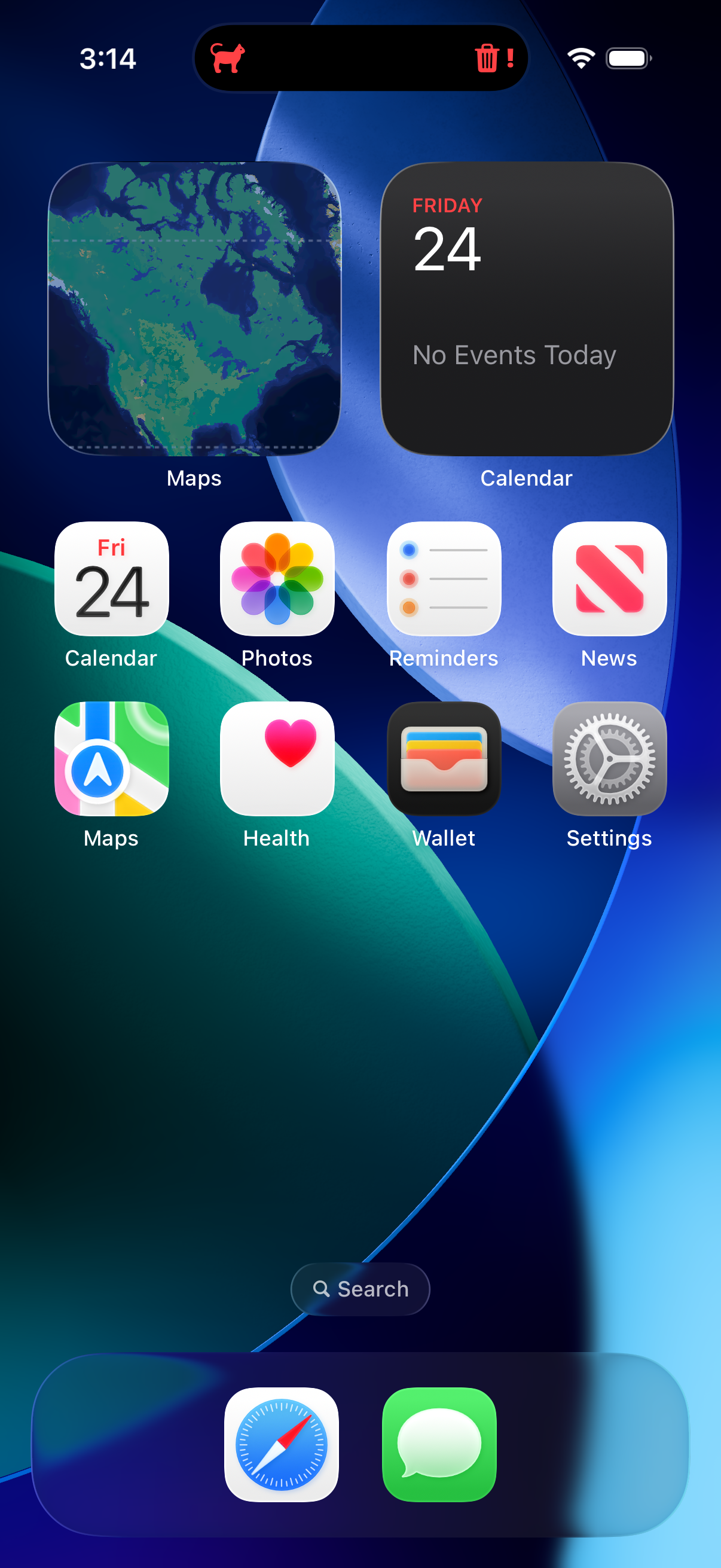
Live Activity - Dynamic Island

Dynamic Island variant for fast current alert visibility.

Live activity dynamic island screenshot

Independent App Disclaimer

LitterWatcher is an independent app and is not affiliated with or endorsed by Whisker.