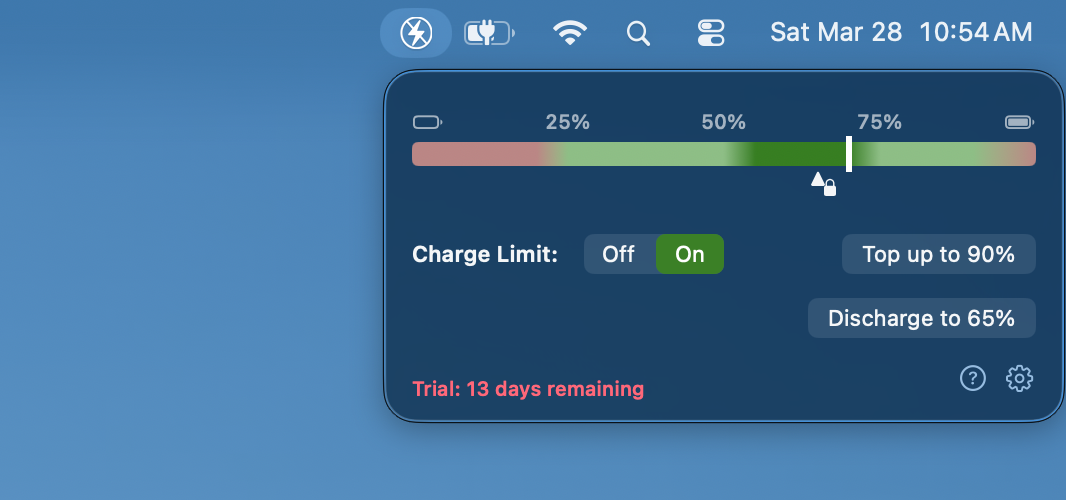
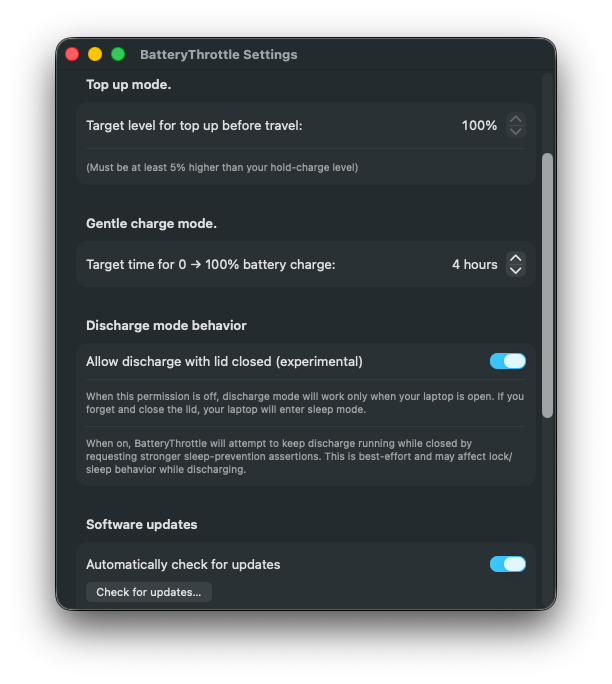
Charge Limiting:  →
→
BatteryThrottlePro applies gentle charging toward your set limit and then stops.
macOS Battery Control
A compact menu bar app that helps your MacBook avoid unnecessary battery wear from high charging currents or from sitting at high voltages.
As a professor of battery chemistry (atomic structure and dynamics of cathodes, anodes, and electrolytes), it annoys me when I see my MacBook's OS choosing to do things that are bad for its battery. As Apple so often does, it tries to make the battery controls a little too automatic and that's not ideal if you're a savvy user.
I get annoyed whenever I see my laptop unnecessarily aging its own battery by:
So I made a simple app to stop those two behaviors as well as giving me a quick way to boost up to a still-safe travel level when I know I'll be on the go and needing the battery later on.
And I don't want to have to spend time fooling around with anything complicated, so I made everything controlled by just single clicks.
→
BatteryThrottlePro applies gentle charging toward your set limit and then stops.

One-click fast top-up to a higher preset level before leaving wall power.
Temporarily ignore the A/C plug and run off the battery to drain it down.
Features. BatteryThrottlePro is the only package that:
Battery Chemistry. I've done collaborations with a wide variety of scientists in the industrial Li-ion battery sector as an academic, so I have a pretty good guess on the internal chemistry of MacBook cells. In the app, I suggest optimum charge levels and rates based on that knowledge, given as ranges that encompass the possible stoichiometries, dopants and additives that Apple might employ.
MacBook's built-in BMS. Compared to some things I've seen in other devices, MacBooks use a pretty good Battery Management System. HOWEVER, macOS can only guess about your plans for the day so there's no doubt you'll do better if you take direct control.
BatteryThrottle Lite . If you're coming from the regular BatteryThrottle version found on the Mac App store, this version offers two huge benefits: you can set the limit below 80% (where experiments show that your battery is actually happier) and you can also set the charge rate to slow during the entire charge range. This is because the Pro version uses a more complicated version of interacting with your battery charge settings. Apple has built in this arbitrary 80% barrier into the OS so we've had to look for ways to get around it. Apple is also annoyed about that so they won't let us put this version in the App Store. No worries though, this version still installs in one step.
Summary. This app is streamlined for easy use. It does the things you need without extra clutter or baggage. Free to try for a couple of weeks and then if you want to continue, it's way cheaper than the alternatives. BatteryThrottle even has a fully automatic updating framework so that the app will continue to work long term. And your battery will too.